
How to install the AgileWalls Dropper
Important: you need to have a Miro account in order to use the AgileWalls Dropper
If you do not have a Miro account, you can create one for free via: https://miro.com/signup/
1.) Hit this button
- A new window will open in your browser to install the dropper in your Miro account
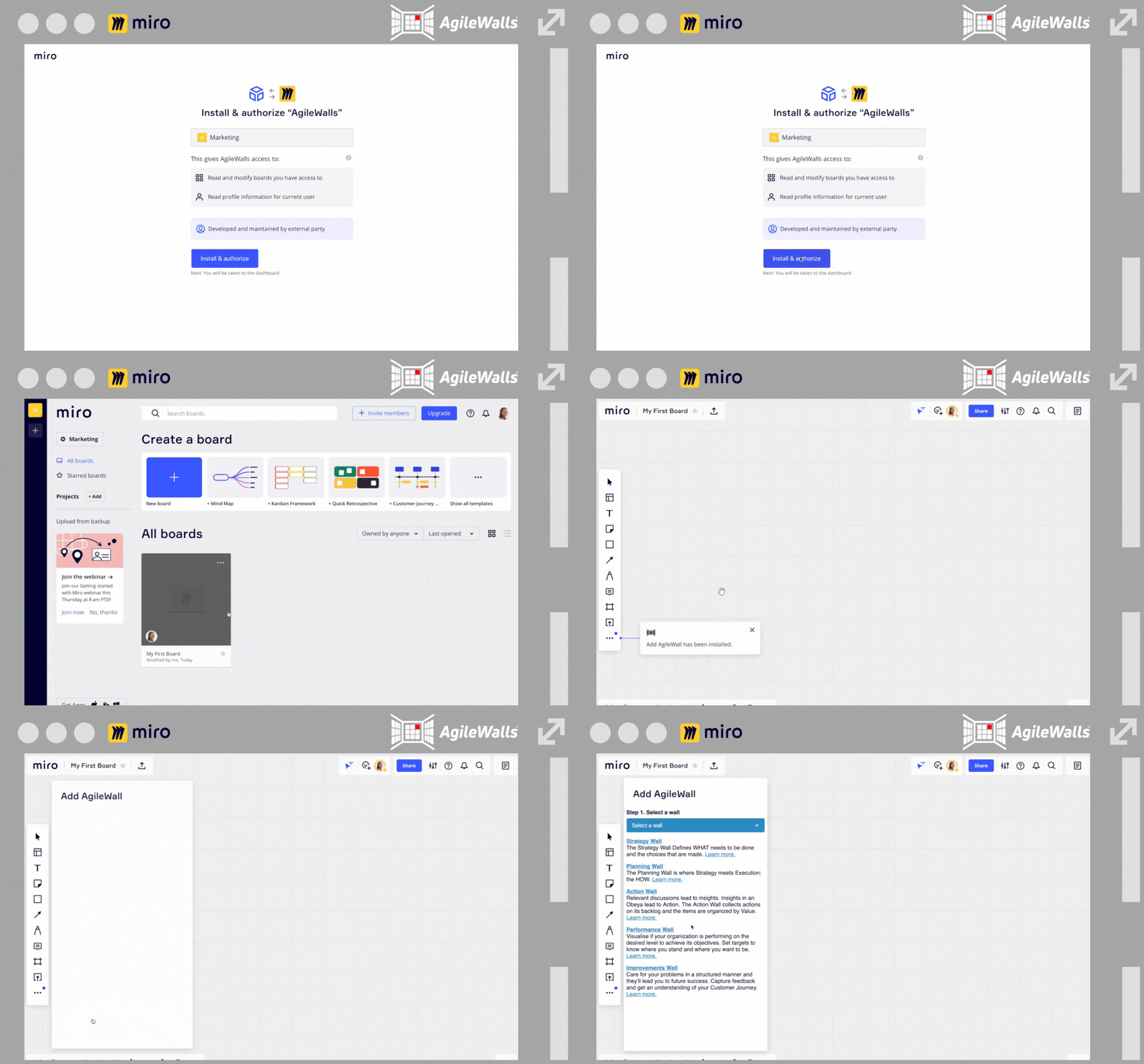
2.) Add the AgileWalls Dropper App in Miro
- Select a team and hit ‘Install & authorize’
- Login & open a new Miro Board
- Click on the three dots on the bottom-left of the menu bar
- Hit the AgileWalls logo
3.) Add AgileWalls Dropper into your Menu Bar
- Click on the three dots in your menu bar
- Find the AgileWalls logo
- Drag & Drop into your menu-bar

Talk to our experts!
We can help set-up an well structured Obeya, visualize your data and set-up an effective process to achieve lasting results!
 EN
EN  NL
NL